
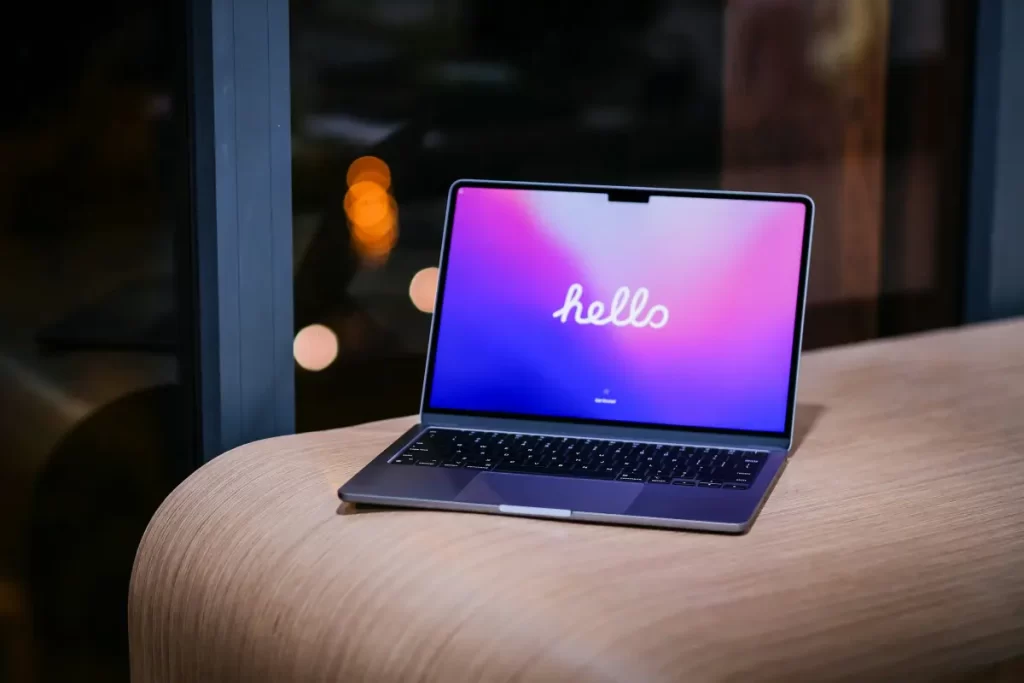
MacBook Screen Repair in Atlanta:
Your Warm 2026 Guide to Fixing Cracked Displays (Without the Drama)
Ah, the dreaded crack. One moment your MacBook is perched perfectly on the coffee table, the next it’s starring in its own modern-art exhibit courtesy of gravity, an elbow, or that sneaky backpack incident. If you’re staring at spider-web fractures, dead pixels, or a screen that’s decided to go full abstract, take a deep breath. You’re in good company here in Atlanta, and MacBook screen repair doesn’t have to be a nightmare.
Why MacBook Screens Crack More Often Than You’d Think (And It’s Rarely the Screen’s Fault)
In this friendly, thorough 2026 guide, we’ll walk through why MacBook screens break, what the Macbook screen repair will actually cost in Atlanta, DIY temptations (with a big caution sign), pro options, prevention tricks, and how to get your Retina (or Liquid Retina) display shining again—fast. Whether you’ve got a feather-light MacBook Air or a beefy MacBook Pro, we’ve got your back. Let’s turn that frown upside down and get you back to productivity with a smile.
MacBooks are engineering marvels—thin, gorgeous, and surprisingly sturdy… until real life intervenes. The ultra-slim hinge design and stunning displays look incredible, but they’re vulnerable to pressure, drops, and that classic “I swear the bag was empty” moment.
Common culprits in Atlanta? Rushing out the door with the laptop in a crowded backpack, closing it with something on the keyboard, or the occasional coffee-meets-keyboard disaster. Liquid damage and overzealous closing (the keys-meet-screen tango) top the list too. Your MacBook doesn’t judge your chaotic mornings—it just quietly asks for a little more care.
Clear Signs Your MacBook Needs Professional Screen Repair
Not every flicker means a full replacement, but these red flags usually do:
- Visible cracks or spider-web patterns across the glass
- Lines, color distortion, bleeding, or dead pixels
- Flickering, dimming, or completely black/no display
- Brightness or True Tone acting up (especially on newer M-series models)
- External monitor works fine, but the built-in screen throws a tantrum
If any of these sound familiar, it’s time for MacBook screen repair before the issue spreads to your sanity or productivity.
MacBook Screen Repair Costs in Atlanta – 2026 Pricing
Nobody likes surprise bills, so here’s the straight talk on 2026 costs of Macbook screen repair in Atlanta. Prices vary by model, whether you go Apple official, an Authorized Provider like uBreakiFix, or a trusted independent shop (many offer same-day service and beat Apple prices while using quality parts).
Rough 2026 out-of-warranty estimates for full display assembly:
- MacBook Air (M1/M2/M3/M4): $320–$650 (often $400–$550 at independents)
- MacBook Pro 13-inch: $350–$700
- MacBook Pro 14-inch: $480–$850
- MacBook Pro 16-inch: $580–$1,000+
With AppleCare+, accidental screen damage is often just $99 (plus tax)—a huge win if you have it. No AppleCare? Local Atlanta shops frequently save you 30-50% compared to Apple Store pricing while offering fast turnaround and solid warranties.
MacBook Air Screen Repair Cost
Lighter models usually land on the more affordable side. Expect $400–$600 out-of-warranty at quality Atlanta repair spots for M3/M4 Airs.
MacBook Pro Screen Repair Cost (14-inch & 16-inch)
Pro models pack higher-resolution panels and more complex internals, so prices climb. 14-inch often runs $500–$800; 16-inch can hit $600–$1,000+ at Apple, with independents typically lower.
AppleCare+ vs. Independent Repair Shops in Atlanta
Apple and Authorized Providers use genuine parts and preserve your warranty. Independents (many with certified techs) often win on price, speed (same-day possible), and friendliness. Look for transparent pricing, real reviews on Yelp/Google, and at least a 90-day warranty on parts and labor.
Apple Official Repair vs. Trusted Atlanta Third-Party Shops
Apple Stores deliver peace of mind with OEM parts, but expect 3–7 days turnaround. In Atlanta, excellent local options abound.
Ask: Do you use genuine or high-quality aftermarket parts? What’s the exact warranty? Can you do same-day? A quick call can save you hundreds and hours of stress.
DIY MacBook Screen Repair: Should You Even Try It?
YouTube makes it look effortless—unscrew, unplug a few cables, swap the assembly. In reality, it’s a precision job requiring specialized tools (pentalobe drivers, suction cups, heat tools) and nerves of steel.
Basic Tools and Steps (For the Brave Only)
- Back up everything (twice).
- Remove bottom screws and disconnect the battery first.
- Carefully detach display cables, antennas, and hinges.
- Swap the full assembly (screen + backlight + glass are fused).
- Reassemble and test thoroughly.
Risks That Could Turn a $500 Fix Into a $1500 Headache
One wrong tug can damage logic board connectors, flex cables, or antennas. Newer M-series models are even more compact. If you’re not 100% comfortable with tiny electronics, hand it to the pros for your Macbook screen repair —your wallet and blood pressure will thank you.
Professional MacBook Screen Repair in Atlanta
A reputable tech will:
- Offer free or low-cost diagnostics
- Use calibrated tools to avoid extra damage
- Replace the entire display assembly
- Test brightness, color accuracy, True Tone, and camera/mic afterward
- Usually completes Macbook screen repair in 1–3 hours if parts are in stock.
Many places even let you wait or drop off/pick up later. Or go the limo route and let them come to you. Your files stay safe unless you request otherwise.
Choose the Right MacBook Screen Repair Service Near You
Questions to Ask Before Booking in Atlanta
- What parts do you use (genuine vs. high-quality compatible)?
- What’s the full warranty on the repair?
- Can you match or beat competitor pricing?
- Do you have experience with my exact model (e.g., M4 Air)?
Red Flags to Avoid
Vague quotes, pressure to upgrade instead of repair, or shops that won’t let you see the work. Stick with highly rated Atlanta names with transparent processes.
Model-Specific Tips: MacBook Air vs. MacBook Pro Screen Replacement
MacBook Air screens are lighter and generally cheaper/faster to replace. MacBook Pro models feature brighter, higher-res displays with mini-LED or advanced Liquid Retina XDR on larger sizes—beautiful, but the repair involves a bit more finesse due to extra components. The process is similar across M-series chips, but newer models reward experienced techs.
How to Prevent Future MacBook Screen Repairs
Prevention beats repair every time:
- Place a thin microfiber cloth between screen and keyboard when closing (Apple even recommends it).
- Invest in a quality padded sleeve or hard case.
- Open and close gently—treat the hinge like it’s delicate.
- Never stack heavy items on a closed laptop.
- Consider a screen protector for extra scratch defense.
- Clean gently with microfiber only—no harsh sprays.
A few mindful habits can add years to your MacBook’s life and keep that gorgeous display pristine.
MacBook Screen Repair Atlanta – FAQ’s
Can you replace just the glass or the whole display assembly? Almost always the full assembly—the layers are bonded together for that flawless look and performance.
How long does MacBook screen repair take in Atlanta? Many local shops offer same-day service when parts are stocked; Apple typically 3–7 business days.
Will my MacBook look and perform like new after repair? With quality parts and skilled hands, yes—colors, brightness, True Tone, and overall feel should match perfectly.
Does repairing my screen void the warranty? Authorized or careful independent repairs usually don’t. Always confirm with your provider.
Is it worth fixing an older MacBook? Often yes! A few-hundred-dollar repair on a still-snappy M1/M2 model beats buying a new machine if it meets your needs.
Ready to Rescue Your MacBook? Here’s Your Next Step
A cracked MacBook screen feels like a betrayal from your most reliable sidekick, but it’s fixable—often faster and more affordably than you fear. Whether you opt for AppleCare+ peace of mind or a trusted Atlanta independent shop with same-day magic, you’ll be back to creating, working, and binge-watching in no time.
If your display is currently staging its own drama, reach out to a us today for a free quote. And next time you’re tempted to treat your laptop like a flying disc… maybe don’t. Your future self (and your bank account) will high-five you.
Got a specific model or more questions? Drop them below—we’re here to help turn screen nightmares into “barely remember that happened” stories. Your MacBook’s next chapter is brighter (and clearer) than ever. 💻✨