Televisions With Communications Options
5 Brands of Televisions with Communication Options
In today’s connected world, televisions with communications options are transforming living rooms into smart hubs for video calls, family gatherings, and remote work. From built-in Zoom support to external webcam compatibility, modern smart TVs now enable seamless video conferencing on TV using apps like Google Meet, FaceTime alternatives, and proprietary platforms. This comprehensive guide explores 5 top brands of televisions with communications options in 2025—Sony, Samsung, LG, TCL, and Hisense—detailing their video calling features, setup processes, pros, cons, and key models to help you choose the best smart TV for video calls.
Why Choose a Television with Communications Options?
With hybrid work and virtual family reunions on the rise, TVs with video calling capabilities offer larger screens, superior audio, and immersive experiences compared to laptops or phones. Features like USB webcam support, built-in microphones, and AI-powered auto-framing make these TVs ideal for:
- Professional Zoom or Google Meet sessions
- Group family video calls
- Interactive gaming and social streaming
- Smart home integration via voice assistants
Let’s dive into the best televisions with communications options and their standout video call-enabled smart TVs.
1. Sony: Premium TVs with Bravia Cam & Zoom Integration
Sony leads the pack in high-end televisions with communication features, powered by Google TV and the innovative Bravia Cam.
Top Model: Sony Bravia 8 QD-OLED (2025)
- Display: 4K QD-OLED with HDR10+ and Dolby Vision
- Communication Apps: Zoom, Google Meet, Microsoft Teams (via sideloading)
- Camera: Bravia Cam (magnetic USB accessory, sold separately ~$199)
- Key Features:
- AI auto-framing and gesture controls (wave to mute/unmute)
- Ambient optimization adjusts picture/sound based on room
- Voice Zoom enhances distant voices during calls
Setup for Video Calls:
- Attach Bravia Cam to the top of the TV
- Download Zoom/Google Meet from Google Play Store
- Sign in and start large-screen conferencing
Pros:
- Stunning picture quality for clear video feeds
- Seamless Google ecosystem integration
- Advanced AI enhances call experience
Cons:
- Camera not included
- Premium pricing
Best for: Professionals and home theater enthusiasts seeking top-tier video call on televisions with communications options.
2. Samsung: ConnecTime App & SlimFit Cam Compatibility
Samsung’s Tizen OS-powered smart TVs offer native video calling on Samsung TV through the ConnecTime app, replacing discontinued Google Duo support.
Top Model: Samsung S95F OLED (2025)
- Display: 4K OLED with Vision AI upscaling
- Communication App: ConnecTime (exclusive)
- Camera: SlimFit Cam or any USB webcam (Logitech, Anker)
- Key Features:
- Multi-participant calls with background blur
- Knox security for encrypted conversations
- Mobile-to-TV call transfer via Galaxy devices
Setup:
- Connect USB webcam
- Open ConnecTime from Samsung Smart Hub
- Scan QR code to link with phone or join via link
Pros:
- Simple, secure, family-friendly interface
- Excellent integration with Samsung phones/tablets
- Affordable webcam options
Cons:
- No native Zoom or Meet (workarounds via casting)
- Limited to newer models (2023+)
Best for: Samsung ecosystem users wanting easy video calling on TV.
3. LG: webOS with Smart Cam & Broad App Support
LG’s OLED and QNED TVs run on webOS, offering flexible televisions with communications options on LG TV with strong app store access.
Top Model: LG OLED B5 Series (2025)
- Display: 4K OLED with α9 AI Processor
- Communication Apps: Zoom, Skype, Google Meet, FaceTime (via AirPlay)
- Camera: LG Smart Cam (USB, sold separately ~$99)
- Key Features:
- AI Concierge suggests apps and optimizes settings
- ThinQ AI voice control for hands-free calls
- Multi-view for split-screen calling + content
Setup:
- Plug in LG Smart Cam
- Install desired app from LG Content Store
- Use Magic Remote pointer for easy navigation
Pros:
- Wide app compatibility
- Excellent contrast for night calls
- Smart home integration (Google Home, Alexa)
Cons:
- Interface can feel busy
- Smart Cam availability varies by region
Best for: Users who want flexible video conferencing TVs with broad platform support.
4. TCL: Affordable Google TV with Duo/Meet Built-In
TCL delivers budget-friendly TVs with video calling using Google TV OS, making televisions with communications options accessible to all.
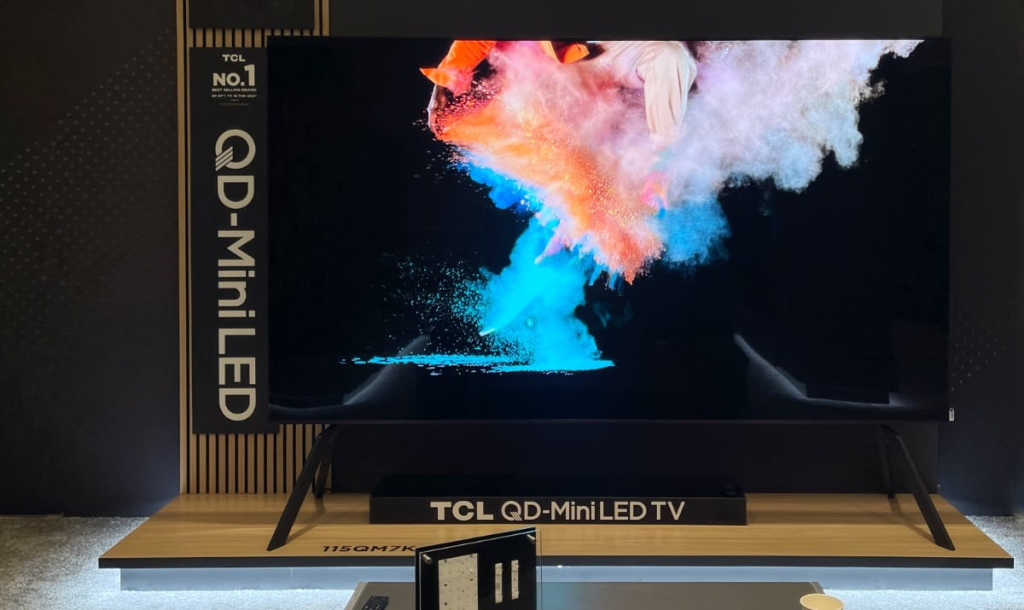
Top Model: TCL QM7K QD-Mini LED (2025)
- Display: 4K 144Hz with Dolby Vision IQ
- Communication Apps: Google Meet, Duo, Zoom (via Play Store)
- Camera: Any USB webcam (OTG supported)
- Key Features:
- Chromecast built-in for screen sharing
- Google Assistant voice commands
- Low input lag for responsive interactions
Setup:
- Connect USB webcam via OTG adapter if needed
- Open Google Meet or Zoom from home screen
- Use phone as remote via Google Home app
Pros:
- Exceptional value (under $1,000 for 65”)
- Full Google app ecosystem
- Bright panel for well-lit rooms
Cons:
- No proprietary camera
- Software updates slower than premium brands
Best for: Budget-conscious buyers seeking affordable smart TVs with video calls.
5. Hisense: Large-Screen Google Meet TVs for Group Calls
Hisense combines value and size with native Google Meet on TV, perfect for big family video calls. Hisense may be a good choice among the televisions with communications options.
Top Model: Hisense U7QG Mini-LED (2025)
- Display: 4K 165Hz ULED with Hi-View Engine PRO
- Communication App: Google Meet (pre-installed)
- Camera: USB webcam required
- Key Features:
- Up to 1000 nits brightness for daytime calls
- Game Mode Pro for smooth video
- Multi-user profiles for personalized calling
Setup:
- Plug in compatible webcam
- Launch Google Meet from Google TV
- Join meetings via link or calendar sync
Pros:
- Massive screens at low prices
- Native Meet integration
- Strong audio with Dolby Atmos
Cons:
- Basic UI compared to LG/Sony
- Limited premium AI features
Best for: Large families or sports fans wanting big-screen video call TVs.
Comparison: Best Televisions With Communications Options (2025)
| Brand | Top Model | Primary App | Camera | Price (65″) | Best For |
| Sony | Bravia 8 QD-OLED | Zoom, Meet | Bravia Cam (extra) | $2,500+ | Premium quality & AI features |
| Samsung | S95F OLED | ConnecTime | SlimFit/USB | $2,800+ | Samsung users, secure calls |
| LG | OLED B5 | Zoom, Skype, Meet | Smart Cam (extra) | $2,000+ | App flexibility & smart home |
| TCL | QM7K Mini-LED | Google Meet, Zoom | USB webcam | $900–$1,200 | Budget buyers, Google ecosystem |
| Hisense | U7QG Mini-LED | Google Meet | USB webcam | $800–$1,100 | Large groups, value & size |
How to Set Up Video Calling on Your Television With Communications Options
- Choose a Compatible Webcam
- Sony: Bravia Cam
- Samsung: SlimFit Cam or Logitech C920
- LG: LG Smart Cam
- TCL/Hisense: Any USB webcam with UVC support
- Connect the Camera
- Plug into USB port (use OTG adapter if needed)
- Install Televisions With Communications Options App
- Sony/LG/TCL: Google Play or LG Content Store
- Samsung: ConnecTime (pre-installed)
- Hisense: Google Meet (native)
- Optimize Your Setup
- Position TV at eye level
- Use external speakers or soundbar for better audio
- Ensure strong Wi-Fi (5GHz preferred)
Buying Guide: How to Choose the Best Televisions with Communications Options
Selecting the right smart TV for video calls requires balancing display quality, app support, camera compatibility, and budget. Follow this step-by-step TV buying guide for video conferencing to make an informed decision in 2025 of different televisions with communications options.
Step 1: Define Your Primary Use Case
- Professional/Remote Work: Prioritize Sony or LG for Zoom/Teams support, AI auto-framing, and low-latency video.
- Family & Social Calls: Choose Samsung (ConnecTime), Hisense, or TCL for easy group calls and large screens.
- Mixed Use (Gaming + Calls): Opt for TCL QM7K or Hisense U7QG with high refresh rates (144Hz+).
Step 2: Choose the Right Screen Size
- Small Rooms (1–3 people): 55″–65″ (ideal for desks or apartments)
- Medium Living Rooms: 65″–75″ (best for 4–6 participants)
- Large Spaces/Group Calls: 75″–85″+ (Hisense excels here under $2,000)
Tip: Measure viewing distance—sit 1.5–2x the screen diagonal (e.g., 8–10 ft for 65″).
Step 3: Evaluate Display Technology
- OLED (Sony, LG, Samsung): Best contrast, true blacks—perfect for evening calls.
- QD-Mini LED (TCL, Hisense): Brighter (1000+ nits), better for daytime or bright rooms.
- Avoid Basic LED: Poor contrast leads to washed-out video feeds.
Step 4: Confirm Communication App Compatibility
| App | Sony | Samsung | LG | TCL | Hisense |
| Zoom | ✅ | ❌ (cast) | ✅ | ✅ | ❌ (cast) |
| Google Meet | ✅ | ❌ | ✅ | ✅ | ✅ (native) |
| ConnecTime | ❌ | ✅ | ❌ | ❌ | ❌ |
| Microsoft Teams | ✅ (sideload) | ❌ | ✅ | ✅ | ❌ |
Pro Tip: Use casting (Chromecast/AirPlay) as a backup if native app is missing.
Step 5: Budget for Accessories
- Webcam: $50–$200 (Sony Bravia Cam: $199; LG Smart Cam: $99; Logitech C920: $60)
- OTG Adapter (for TCL/Hisense): $10–$15
- Soundbar (optional): $150–$500 for clearer audio
- Mount/Stand: $50–$150 for eye-level positioning
Total Extra Cost: $100–$400 depending on brand.
Step 6: Check Connectivity & Smart Features Of Televisions With Communications Options
- Wi-Fi 6 or Ethernet: Essential for stable 4K video streams
- HDMI 2.1: Future-proof for gaming or screen sharing
- Voice Assistants: Google Assistant (Sony/TCL/Hisense), Bixby (Samsung), ThinQ (LG)
- Privacy: Look for camera shutters (Sony Bravia Cam) or mic mute switches
Step 7: Read Reviews & Test In-Store
- Check RTINGS.com, CNET, or Consumer Reports for latency and webcam tests.
- Visit Best Buy, Costco, or Samsung/LG Experience Stores to demo video calling.
- Look for open-box deals or holiday sales (Black Friday, Prime Day).
Step 8: Warranty & Support
- Standard: 1-year manufacturer warranty
- Extended: 3–5 years via retailer ($100–$300)
- Customer Service Rankings (2025):
- LG (fast response, in-home repair)
- Sony (premium support)
- Samsung (good app ecosystem)
- TCL/Hisense (budget-friendly but slower)
Conclusion: Which Brand Wins for Televisions With Communications Options?
- Best Overall: Sony Bravia 8 – Unmatched picture, AI, and call quality
- Best Value: TCL QM7K – Full features under $1,000
- Best for Families: Hisense U7QG – Huge screens, easy Meet access
- Best Ecosystem: Samsung S95F – Seamless with Galaxy devices
- Most Versatile: LG OLED B5 – Supports nearly every app
When selecting televisions with communications options, prioritize screen size, app compatibility, and webcam support. As smart TV video calling evolves, expect more built-in cameras and AI enhancements in 2026 models.
Ready to Upgrade?
Search for your preferred model today and turn your TV into a video conferencing powerhouse. Need help choosing? Compare specs, read user reviews, and check retailer demos to find the best TV for Zoom, Meet, or family calls. When you need help setting up any televisions with communications options call us at (770) 674-4644. We’ll be happy to help.
Last updated: October 2025 Keywords: televisions with communications options, smart TV video calling, best TV for Zoom, video call TV 2025, Sony Bravia Cam, Samsung ConnecTime, LG Smart Cam, Google Meet on TV, TV buying guide for video calls